Cube Apps
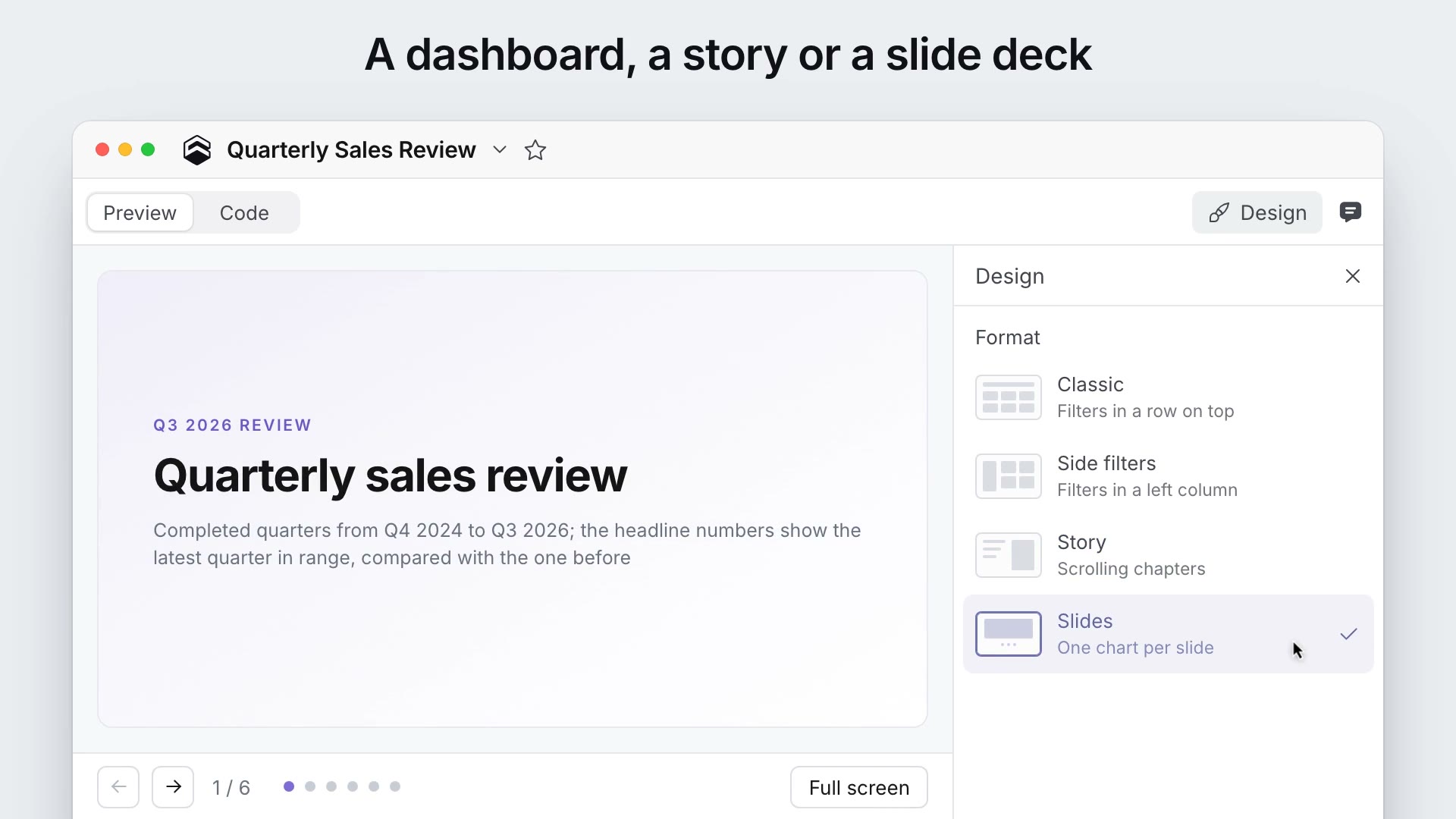
You can now build apps in Cube: dashboards that break the grid, scrolling stories and slide decks. Describe the app you need in a Workbook's chat, and the agent creates the reports, writes the app code, runs it and fixes the errors it finds. It can also turn an existing Dashboard into an app from all of its reports.
Switch an app between the Classic, Side filters, Story and Slides formats in the Design panel. Click any element to change it or ask the agent, and undo any step. Apps follow your account's theme, and every number comes from your semantic layer, queried with each viewer's permissions. Present an app full screen, download it as an image or PDF, send it by email, or embed it. Read more in the launch post and the Apps docs.
Other improvements and fixes:
Workbooks
- You can now filter to the Top N or Bottom N values ranked by any measure, in Workbooks and in Dashboard filters
- You can now type a date range such as "Q1 2026" or "past 30 days" into a date filter
- Fixed period comparisons being dropped when opening a chat result in Explore
Dashboards
- Added live mode, which keeps a published Dashboard refreshing while it is open, for example on a wall display
- Open Dashboards now update as soon as someone changes them elsewhere, including through MCP
- A Dashboard filter can now offer only the values its author allows, as a dropdown or as buttons
- Downloading a Dashboard now opens a settings dialog to pick the format, layout and control values
- Dashboard deliveries can now go by email and to several Slack channels at once, and keep the Dashboard's cross-filters
Visualization
Fixed map charts appearing blank in Dashboard PDF exports and deliveries.
Administration
- Added Snowflake and Databricks presets for OAuth apps that fill in the URLs and scopes
- The Content Validator now also flags scheduled tasks and Advanced SQL reports that reference missing fields or views
- Snowflake private keys, Databricks tokens and DuckDB secrets are now masked by default in data source settings
AI
- Admins can now turn off individual tools of the Cube MCP server
- Period comparisons now work in Analytics Chat, the Chat API and MCP
- The MCP server can now open a Dashboard from a pasted link
- Chat History now shows how much of the context window each thread uses
Integrations
- The Google Sheets and Excel add-ons now show ad-hoc measures in the pivot's Measures zone
- Added APPROXIMATEDISTINCTCOUNT support in DAX for Power BI
Modeling
- In development mode, Commit now targets the parent branch by default, and Changes compares against the parent branch
- JDBC-based data sources now read query results up to 20x faster
- Fixed rolling windows over count-distinct and average measures returning wrong values from pre-aggregations
API
The GraphQL API schema now lists only the members the caller can access.
Workspace
Billing, the Audit log, sign-in pages and admin settings now work on phones.